
Create and manage your events in just a few steps
Learn how to easily create and manage events for your athletes with TrainerPlan. Add participants, notify them instantly, and even allow athletes to see wh…
- Events
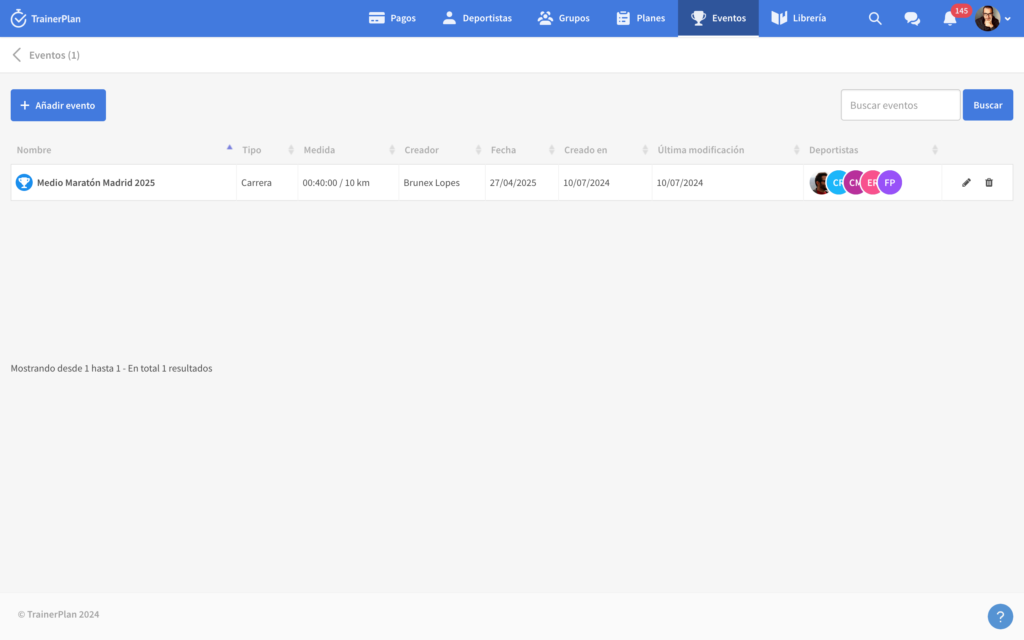
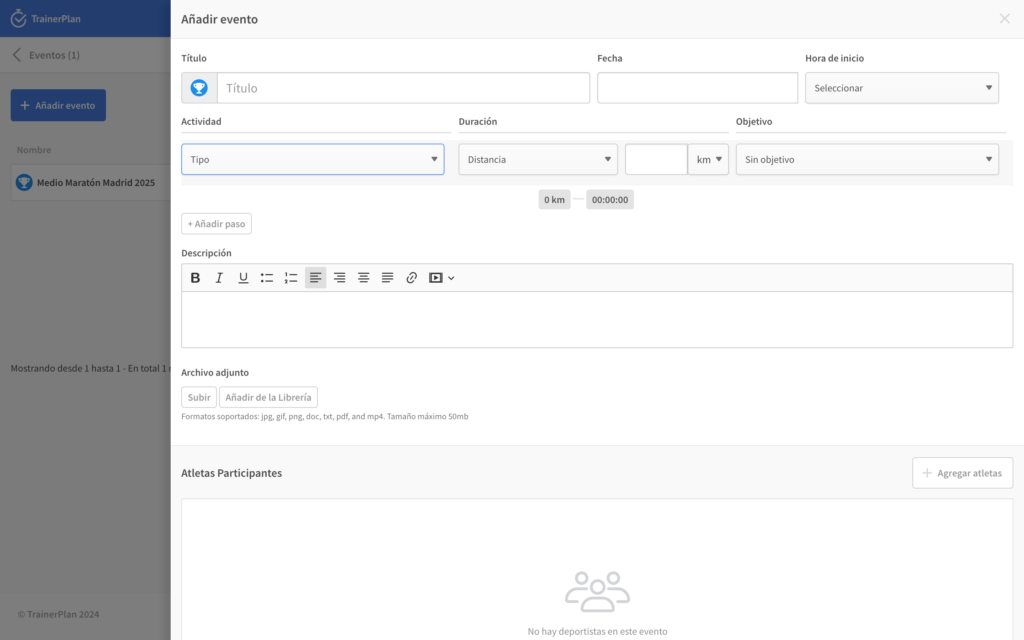
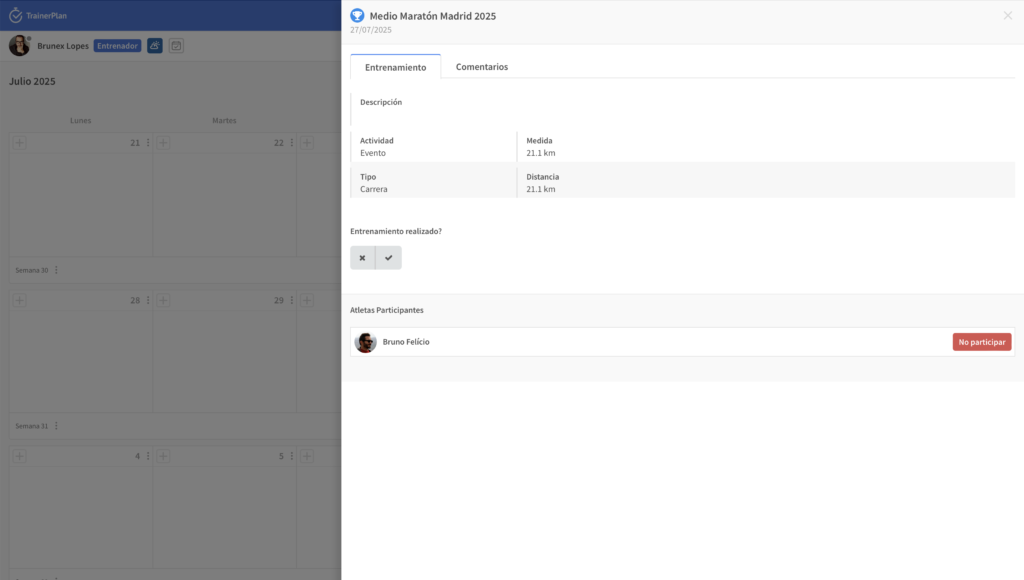
From now on, creating a new event is even easier. Simply go to the Events tab, add the Event details, and add the athletes you want to that event.
Event List
Create an event
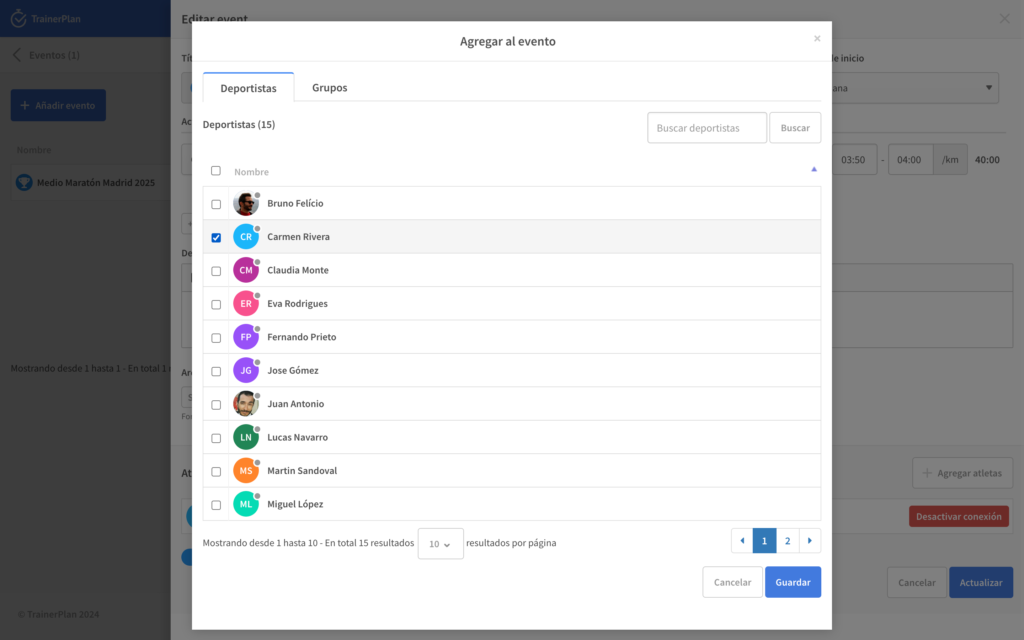
Add participants
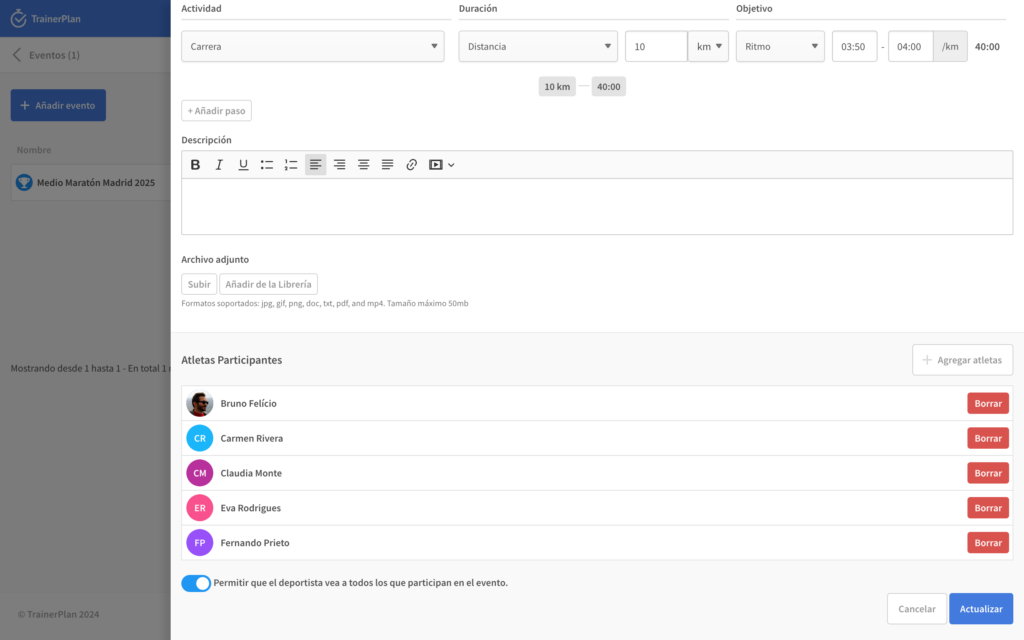
When the event is saved, all added athletes will receive a notification and can remove the event from their calendar if they wish.
As an option, when creating the event, the coach can allow all athletes to see who else will be participating in the same event.
Try it now by logging into your account and selecting “Events” from the main navigation.
Updated August 31, 2026